
Have you ever tried to email an important document, only to be blocked by a “file size too large” error? Or perhaps you’ve struggled with slow-loading PDFs on your website. Large PDF files can be a major inconvenience, making them difficult to store, share, and manage. So, how to compress a PDF File?
Fortunately, there’s a simple solution: PDF compression.
Compressing a PDF shrinks its file size, making it significantly easier to handle without sacrificing readability. In this guide, we’ll walk you through why you should compress your PDFs and how you can do it for free in just a few clicks.
Why Should You Compress a PDF File?
Reducing the size of your PDF files isn’t just about convenience; it offers several practical benefits:
- Effortless Emailing: Compressed PDFs easily fit within the attachment size limits of most email providers (like Gmail, Outlook, and Yahoo), ensuring your documents get delivered every time.
- Faster Sharing & Uploads: Whether you’re uploading a resume to a job portal or sharing a report on a messaging app, a smaller file size means quicker uploads and downloads.
- Save Valuable Storage Space: Compressing documents frees up significant space on your computer, cloud storage, or external hard drives.
- Improved Website Performance: If you host PDFs on your website (like menus, portfolios, or guides), smaller files will load much faster for your visitors, improving their user experience.
How to Compress Your PDF in 3 Simple Steps
You don’t need to download any bulky software or sign up for an expensive service to reduce your PDF’s size. You can do it right here, for free, and with complete privacy.
To Compress a PDF File, use our Free PDF Compressor Tool works directly in your browser. This means your files are never uploaded to a server, giving you peace of mind that your sensitive documents remain secure.
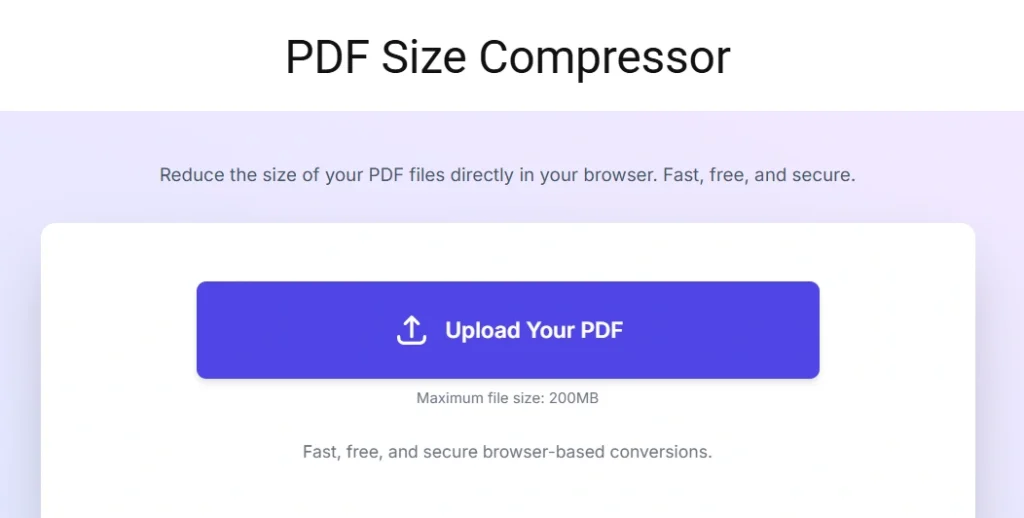
Here’s how easy it is:
Step 1: Select Your PDF File Navigate to the PDF Compressor tool. You can either click the “Upload” button to browse for your file or simply drag and drop your PDF into the designated area. The tool supports files up to 200MB.
Step 2: Adjust the Quality Once your file is loaded, you’ll see a quality slider. This gives you complete control over the compression level.
- For the smallest size: Move the slider towards “Lower Quality.” This is great for documents where image clarity is not the top priority.
- To preserve detail: Move the slider towards “Higher Quality.” This is ideal for portfolios, presentations, and image-heavy files.
Step 3: Compress and Download Click the “Compress” button. The tool will instantly process your file and show you the new, smaller size. Click “Download” to save the compressed PDF to your device. That’s it!
Frequently Asked Questions (FAQ)
Will compressing a PDF reduce its quality?
Yes, when you compress a pdf file, it will slightly reduce the quality, particularly of images, to achieve a smaller file size. However, our tool uses smart compression to minimize this effect. For most documents, the difference is barely noticeable, and you can use the quality slider to find the perfect balance for your needs.
Is it safe to use an online PDF compressor?
It depends on the tool. Many online compressors upload your files to their servers, which can pose a security risk. Our tool is different. It processes your files locally in your browser, so your data never leaves your computer, ensuring 100% privacy.
Is the tool really free to use?
Absolutely. You can compress a pdf file as many as you want, whenever you want. There are no hidden fees, no sign-ups, and no limits on usage.
Get Started Now!
Stop letting large PDF files slow you down. Whether you’re sending an important email, optimizing your website, or just freeing up disk space, compression is the answer. To Compress a PDF File:
